Project statuses
Every project carries a status. It tells you at a glance what is left to do.
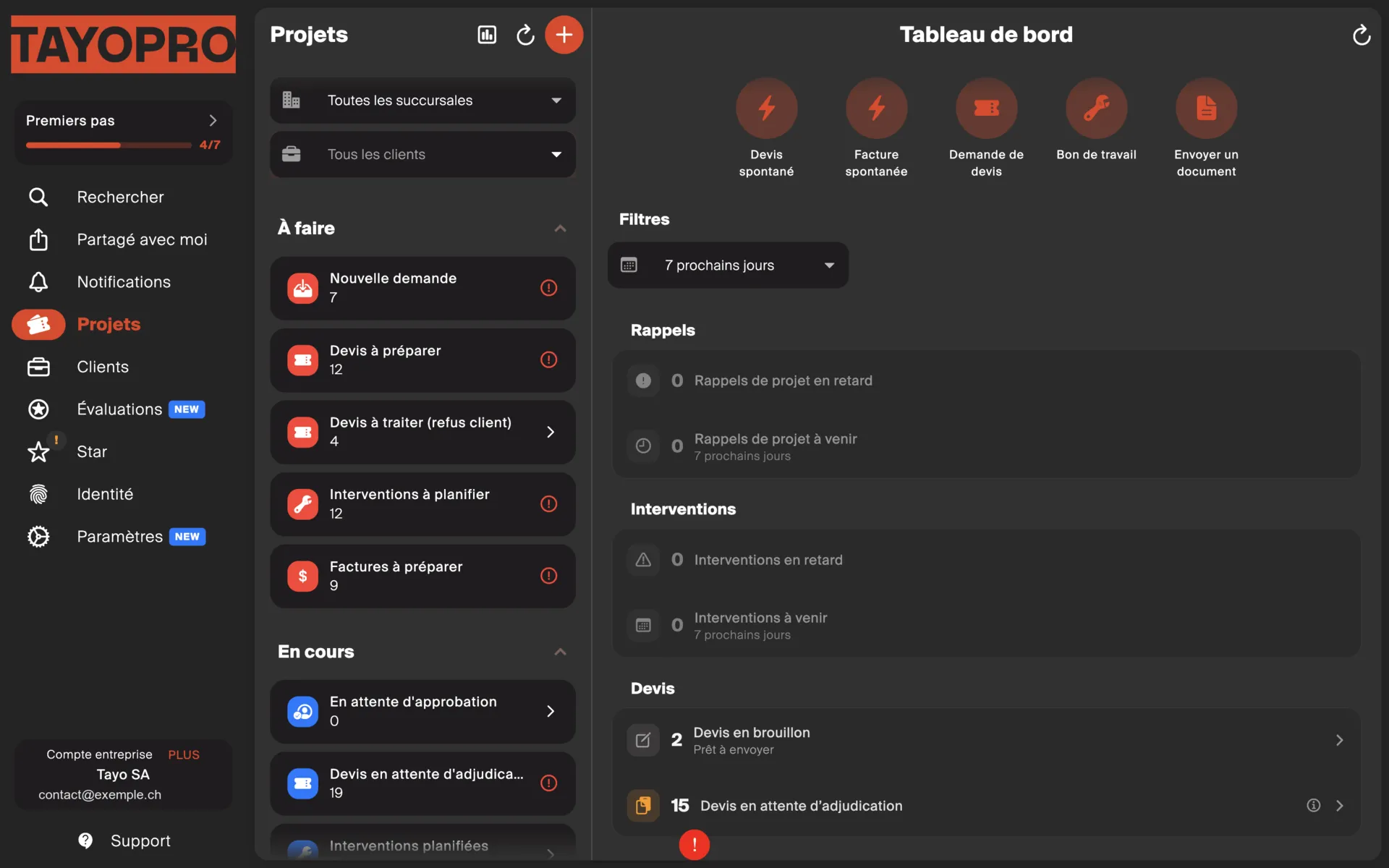
Statuses fall into three groups: what needs action from you, what is waiting on someone else, and what is closed.
To do — the ball is in your court
Section titled “To do — the ball is in your court”| Status | What it expects from you |
|---|---|
| New request | The property manager has just sent you the job. You have not handled it yet. |
| Quotes to prepare | A quote is expected. See Creating and sending a quote. |
| Quotes to process (after rejection) | The client rejected your quote. It is up to you: adjust and re-quote, or close the project. |
| On-site jobs to schedule | The work is approved, a date is needed. |
| Invoices to prepare | The work is done, the invoice still has to go out. |
In progress — you are waiting on someone
Section titled “In progress — you are waiting on someone”| Status | Who is keeping you waiting |
|---|---|
| Awaiting approval | You asked your client to approve, from the shared project. They see it under “Projects to approve” in their portal. |
| Quote awaiting award | The quote has gone out. The client has not answered. |
| On-site jobs scheduled | A date is set, the work is not done yet. |
| Invoices awaiting payment | The invoice has gone out, the money has not arrived. |
Archived — the project is closed
Section titled “Archived — the project is closed”| Status | What it means |
|---|---|
| Done | The project is finished. |
| Request declined | You turned the work down — not available, outside your trade, too far. |
| Canceled | The project will not happen. |
The status usually changes by itself
Section titled “The status usually changes by itself”Most of the time you do nothing: the status follows your actions. Send a quote and the project moves to “Quote awaiting award”. Send the invoice and it moves to “Invoices awaiting payment”.
It also moves when the property manager does something on their side in Tayo.
If the status does not match reality you can correct it by hand — but read Forcing a status first, because it has consequences.